Free
- 1. You analyze
- The home page, up to 5 analyses a day
- 2. You understand
- Score, points to fix first, basic PDF report
- 3. You fix
- The SEO fields inside WordPress and 3 AI credits to try
- 4. You check
- The change history, with restore
How it works
You paste the address and in about 30 seconds you see how Google and ChatGPT read you. Then you decide what to fix: Trovavio writes the corrections, you approve them, and at the end you check that they worked.
1 Step 1
Type the site's address and press enter. No sign-up needed. Trovavio reads the page the way Google would, without running JavaScript, and applies 50 SEO and GEO checks.
SEO is how visible you are on Google. GEO is how well an assistant like ChatGPT can understand who you are and cite you.
Example
2 Step 2
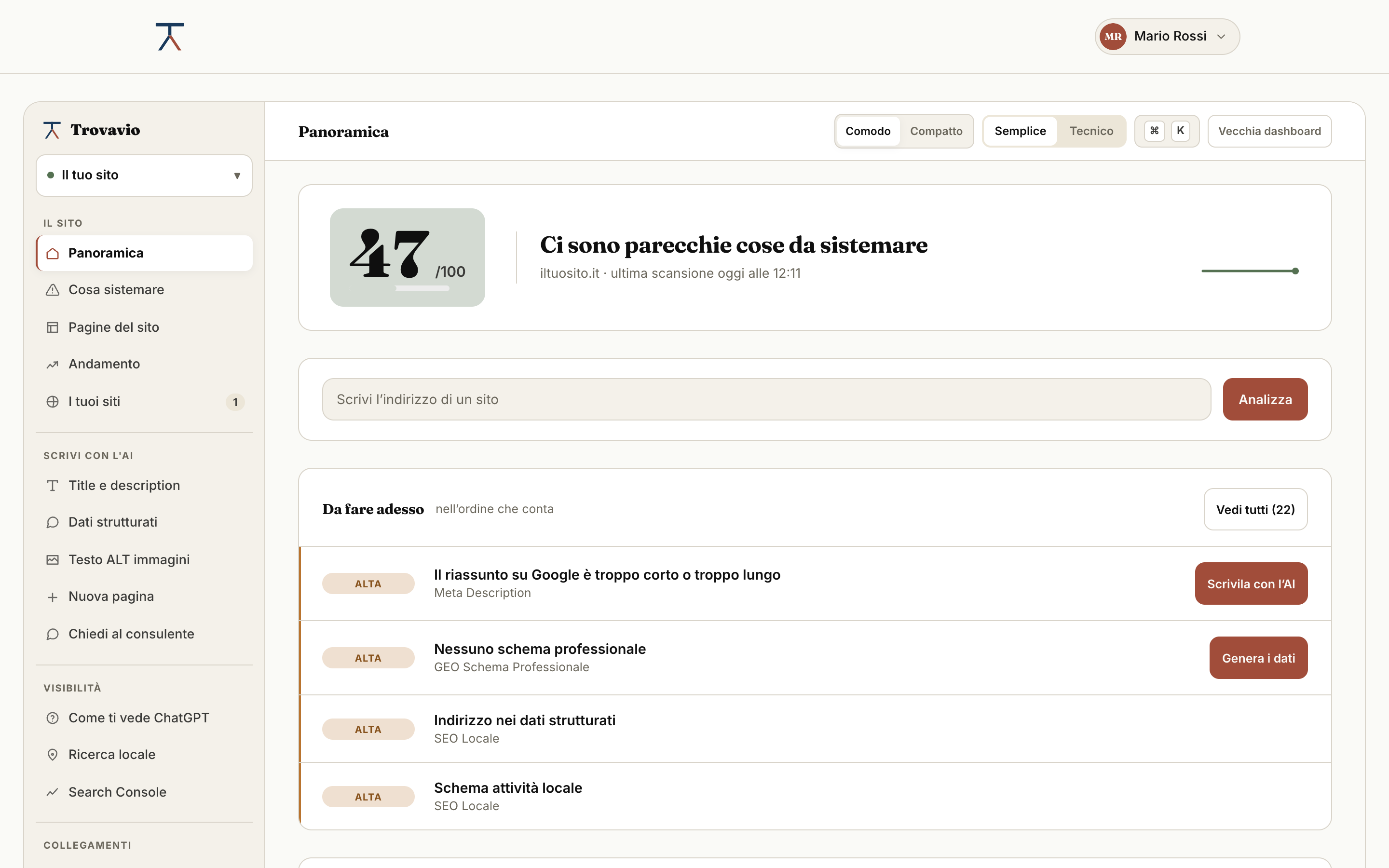
Not a diagnosis to read: the things to do, in order of how much they weigh on the score. Each one is written in plain words: why it matters and what to change.
What to fix first
3 Step 3
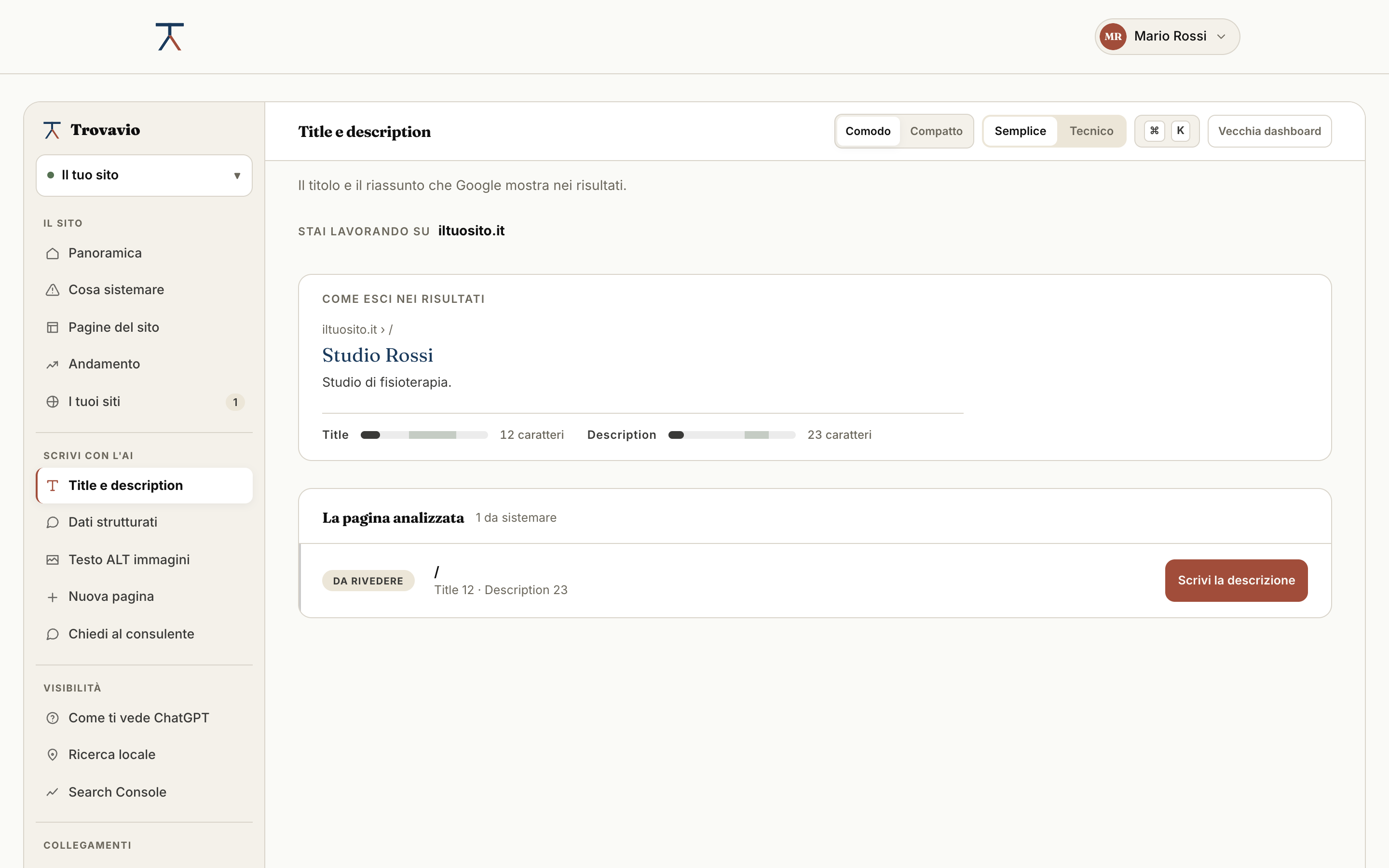
For every problem Trovavio proposes the correction already written: title, description, alternative texts, structured data, frequently asked questions, llms.txt file. It writes it by reading the real content of the page, without adding cities, numbers or services you do not have.
You see the proposal and press Apply. Nothing changes without your go-ahead, and if something goes wrong the site stays as it is.
To try it there are 3 free AI credits, no card needed. From the Solo plan the credits renew every month.
Example
Now
Rossi Law Firm
Suggested
Divorce solicitor in London, Rossi Law
4 Step 4
After applying the corrections you run the analysis again: the score updates and the history remembers what you changed and when. From the Solo plan the analysis starts by itself every Monday, and we write to you only if something has changed.
Example
41 → 72
The path is the same for everyone. What changes is how many pages you read, how much the AI writes and what gets done by itself.
Each feature shows the plan it starts from. Open it to see what it does.
You see them as you write, before publishing, without leaving WordPress.
Two numbers from 0 to 100 and, underneath, the list of what to change in order of how much it weighs. Not a diagnosis to read: three things to do.
Five scans a day are enough to fix a page and check it again. The free plan doesn't expire: it isn't a time-limited trial.
Word-based checks run in the language of the page. So an English site is judged in English.
The free plan looks at the home page. From Solo the scan goes into the site and makes a weighted average: the most important pages count for more.
We analyse the sites that compete with you on the same searches and line up the differences.
When two of your pages aim at the same search, Google picks one and the other disappears. Better to know.
We go through every link on the site and tell you which ones no longer arrive anywhere.
One button starts the scan on every site you look after, and tells you when it has finished.
The things to change in order of how much they weigh on the score: you start from the one that gains the most.
Every analysis comes with its own PDF report: the score, the three most important items in plain words and a QR code to check another site. You can download it even without signing up.
Not a generic assistant: it has your latest scan in front of it, so it answers about your site and not about SEO in general.
We ask the question one of your clients would ask. The assistant searches the web, answers and cites its sources: we show you which ones, and whether your site is among them. We query one assistant, not all of them: what holds for every engine is the GEO score, which measures how the site is built.
Not the list of everything that is wrong: the three or four things that move the needle most this month.
Not a generic tip: it reads the real content and gives you the sentence already written, with your own words in it.
An address that opens the report. Whoever receives it does not have to create an account to read it.
The report to send to the client or attach to a quote: every item to improve, the page-by-page detail, the choice between Detailed and Simple, and the colors you choose. The basic report, with the top three items, is available to everyone.
Two scans side by side: you can see which change moved the score and which did not.
On every page and post, with a character count as you type and a preview of how you'll appear on Google. The field tells you when the length is right.
Alternative text is what search engines read, and anyone who cannot see the image. Trovavio tells you which are missing and, from the Solo plan, writes them.
The four levers that decide whether a page gets into Google and under which address. No extra plugin, no code to touch.
The box people will see when they look for you, shown as you write. The lengths check themselves.
If you already have another SEO plugin, Trovavio recognises it and writes in its fields, with no duplicate tags.
With WooCommerce active, a Products page appears: the SEO title, description and keyword of every product, with the checks, the photos without alt text and what the product data is missing. Price and stock are shown and never touched.
Three texts written by AI, to see how it writes before you pay. No card needed.
It reads the real content of the page, not the generic subject of the site. You approve from the dashboard and the plugin applies it to the site, with no copy and paste.
From the Solo plan on, the AI writes the SEO title, description and photo alt text of a product, one credit per field, using only what the product says: never price, stock or made-up details. You work from the plugin or from the Products view of the dashboard.
It takes the sentences your client would not understand and rewrites them the way he would say them. The meaning does not change, the effort of reading them does.
The invisible code that tells ChatGPT who you are and what you do. Without it, it has to guess.
Like robots.txt, but for AI engines: it says who you are, which pages count and how to quote you.
If your site is not on WordPress, you download an archive with the files already written from the content of your pages: llms.txt to upload, the structured data to paste into the head, the lines to append to robots.txt. Then you press “check” and we go and look at the live site to confirm they are in the right place.
On Wix, Shopify, Webflow, Joomla or a hand-built site you paste one line of code, a PHP file, a Cloudflare Worker or a Node middleware, and the corrections you approved are applied on their own: title, description, keywords, Open Graph and structured data. With PHP, Worker and Node the corrections are already in the HTML that Google and AI engines read; with the script they are applied in the browser, and AI crawlers that do not run JavaScript do not see them.
You approve from the dashboard, the plugin writes to the site. You do not go through WordPress by hand.
Before writing a page, knowing what it has to contain. The questions come from what people actually search for.
From the Pro plan the text is written by the more capable model. It shows above all on long sentences and on tone.
Title, description and H1 written in one go, so they don't repeat each other.
From the Pro plan on you pick many products at once: Trovavio tells you how many credits it takes before starting, stops at the confirmed ceiling and saves nothing until you approve each suggestion.
Every change stays written down, so you can go back without remembering what was there before.
One automatic scan a week. The email arrives only when something has changed, not to tell you everything is fine.
You connect Search Console and see the searches people really find you with, inside the report.
If something breaks a page, you know the same day instead of at the next report.
If you have a system of your own, you can start the scans from there and pull the scores back.
Fifteen sites and three people in the same space: everyone works on the same sites, not on a copy.
The report carries your brand. The client doesn't see Trovavio anywhere.
You give the client an access: they come in, see their site and nothing else, without going through you every time.
Instead of asking the client for the colours, we read them from their site and suggest them for the report.
Group the sites however you like: you choose the labels.
A little square to put on the paper quote: the client points their phone at it and the report opens.
Visitors to your site enter their address and see the score and the first three things to fix. You receive their email and the analysis already done.
A box that shows the score and updates itself. It is for you, to keep an eye on it, and for visitors, to trust you.
Fifteen per cent of the first payment of whoever you invite, by bank transfer.
We measured 49 Italian dental practice websites with this engine: median 46 out of 100, 94% without the address in structured data, almost half without an H1. The method and all the numbers.
Want to know how many of these features your site needs? Try the free check.
Where to check the rules behind the checks: structured data according to Google · the schema.org guide · the llms.txt file proposal · OpenAI's crawlers
In the free plan too, and with no AI features. It is not an add-on and it is not paid for separately: you install it from WordPress and the first six features are already yours.
Start free