What you make on it
The plan costs €299 a month, VAT included, for fifteen sites. What you keep depends on the price you resell it at: move the two numbers and do the maths.
You take in, per month
€400
You keep, per month
€101
Over a year
€1,212
Clients to break even
6
With 8 clients at €50 you take in €400 a month, you pay €299 and you keep €101. That is €37 per site.
With {c} clients at {p} you take in {incasso} a month, you pay {costo} and you keep {resta}. That is {sito} per site.
With {c} clients at {p} you take in {incasso}, less than the {costo} the plan costs: you are {mancano} short each month. You break even at client number {pareggio}.
At {p} a month it does not pay for itself even with fifteen clients: you need at least {minimo} per client.
over 15
€{n}
How to get started
- 1 · Ten minutes
Add your clients' sites
Type in the addresses, or connect their WordPress sites with the free plugin.
- 2 · One click
Check them all at once
Scores, ranked problems and fixes already written, for every client.
- 3 · Just once
Upload your logo
From then on every report and every PDF carries your brand, and ours doesn't appear.
The document you send to your client
Example · report shared under the agency's brand
What was done this month, how many points it gained and what comes next.
Monthly report · Studio Bianchi
by Rossi Web Agency · August 2026 · +12 points since last month
Added the structured data for the business
Address, phone and opening hours now readable by Google and by AI. +7 points.
Rewrote four descriptions
With the city in the text, because searches almost always contain it. +5 points.
An «About us» page signed by the owner
It is the heaviest signal among those still to fix.
Example with made-up data. The logo, the name and the website address are yours, you upload them once from your account and they apply to the report shared by link and to the PDF.
Fifteen sites on one screen
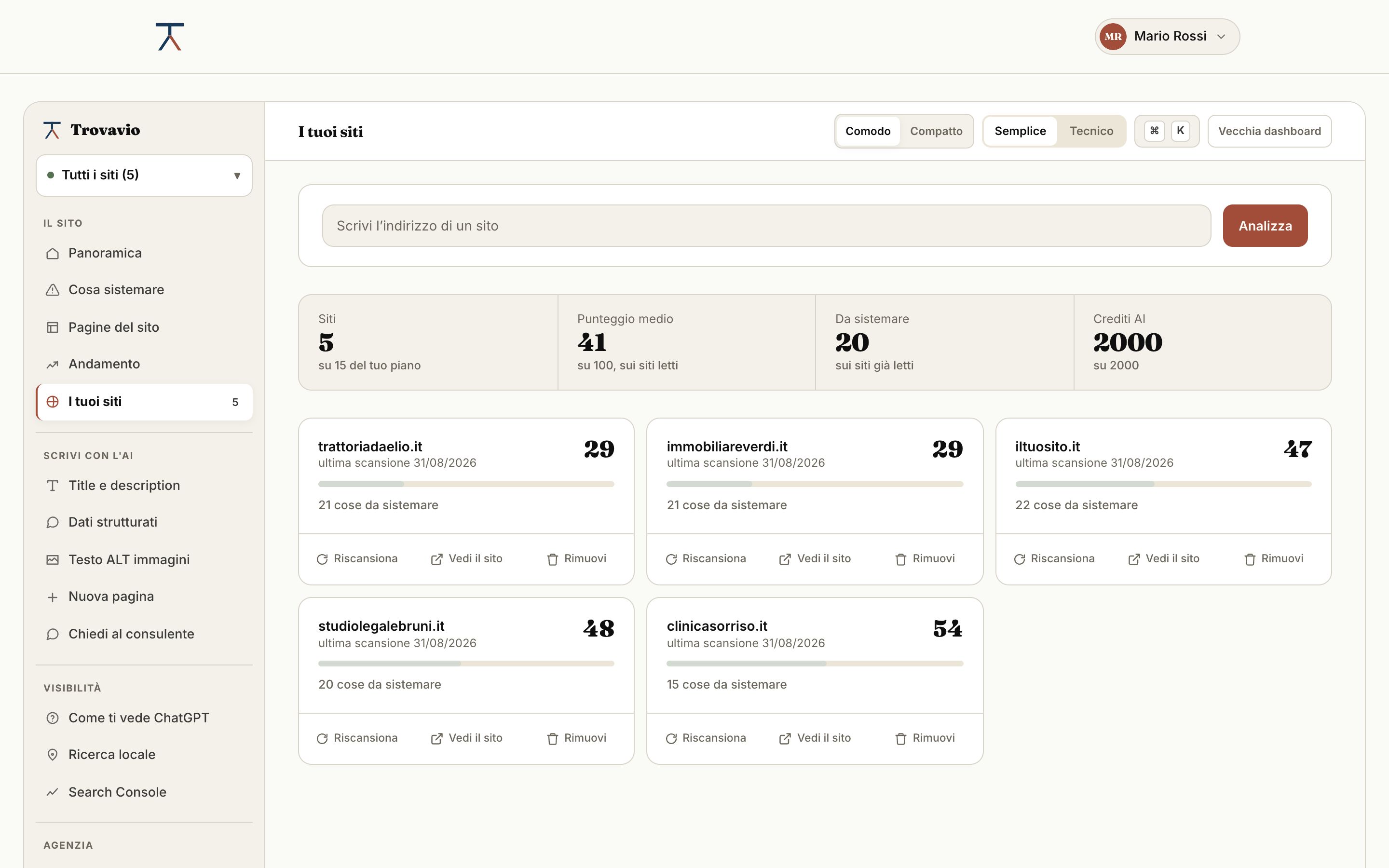
Every score in one row
Who went up, who went down, who stopped answering. Ordered by how much there is to do, not by name.
Three seats on the team
Collaborators sign in with their own account and work on the same sites. AI credits are shared, not one allowance each.
Whose report is due this week
For each client you note the agreed frequency and when you last sent the report. The email comes from you, from your address: Trovavio doesn't write to your clients on your behalf.
An API with 2,000 calls
Four endpoints to bring the scores into your own dashboard or your Notion. See the documentation
A plugin on every site
You connect your clients' WordPress sites and start the scans from here, without logging into fifteen dashboards one by one.
Your client next to their competitor
Two sites compared, line by line, with the gap spelled out. It is the slide that ends the meeting.
The API, for those who already have a dashboard
Four endpoints, key from your account, 2,000 calls a month included in the plan. If you already have a client dashboard, the scores show up there, without opening another tab.
GET/api/v1/sitesEvery site of the agency with the scores from the last saved check.
GET/api/v1/sites/:domainA single site: SEO and GEO scores, change since the previous check, list of problems.
POST/api/v1/auditStarts a check on an address and returns the result.
POST/api/v1/aiGenerates a title, a description or an H1 from the real content of the page.
Calls are counted monthly and reset on renewal. Full documentation, with examples and error codes.
A form that brings you clients
Put the analysis form on your website, with your brand. Visitors enter their site's address, see the score and the first three things to fix, and you receive the request with their email and the analysis already done. You paste it into a page like a YouTube video.
What you offer your clients
It is not a subscription to a tool: it is the service you put in front of your client. These are the things your client gets, with your name on them.
50 checks, not an opinion
On every page of your client's site, across classic SEO and readability for AI. The score is the same number you show them a month later to say how much it improved.
The copy written, not just suggested
Titles, descriptions, H1s, alt text and structured data, generated from the real content of the page. Two thousand credits a month, shared: it is the work you bill without doing it by hand.
The fixes applied, not handed over
With the plugin connected to your client's WordPress, the line you wrote goes into the page with one click. No files to send and no «your developer will handle it».
The improvement, as a number
Score history month by month. When the client asks what they got, you show them the numbers instead of explaining.
The comparison with the competitor
The client's site next to the one ahead of it, item by item. It's the page to show when renewal comes up.
Your brand, everywhere
Shared report and PDF with your logo and your name. Ours does not appear, not even at the foot of the last page: what you sell is yours.
What it includes, in numbers
Everything in the Pro plan, plus what you need when you work for other people.
- Sites
- 15
- Team seats
- 3
- AI credits a month
- 2,000 shared, not one each
- Pages per scan
- 200
- Scans per day
- 60
- API calls a month
- 2,000 across four endpoints
- Brand on reports
- yours shared link and PDF
- Price
- €299 a month, VAT included
What agencies ask us
Will my client see the Trovavio name?
How many sites does the Agency plan include?
Can I go beyond fifteen sites?
Do collaborators cost extra?
How many API calls are included?
What happens if I remove a collaborator?
Does Trovavio send the reports to my clients?
Can I try before paying?
Can I talk to someone first?
Where to go next
Want to show a client what we measure? See the free check
Where to check the rules behind the checks: structured data according to Google · the schema.org guide · the llms.txt file proposal · OpenAI's crawlers
Try it with one client
Check one of your clients' sites and see the report it produces. Free, and no card needed. Prefer to talk first? Twenty minutes is enough, in Italian, English, Spanish or French.
Check a site Let's talk